Google Play Now Runs Your Personal Vibe-Coded Apps, No Developer Account Needed
💡 Tool Tip:Hash Generator, Base64 Encoder, JSON Formatter, Text Diff Checker
Google's October 13, 2026 Play update includes one line that will matter more than the rest: you can build a custom Android app with AI Studio and launch it on your own device through Google Play, using a standard Google account and no developer account. Personal apps stay private and separate from the public catalog, the rollout starts in select markets including the U.S. for users 18 and over, sharing with a close circle of friends and family is coming in the coming months, and if you ever want to publish to the world you move to a professional developer account where the app faces the same Trust & Safety reviews as anyone else's. It reads like a consumer feature. For anyone who builds software, it is a new distribution tier with no review gate, which is exactly the thing worth thinking carefully about.
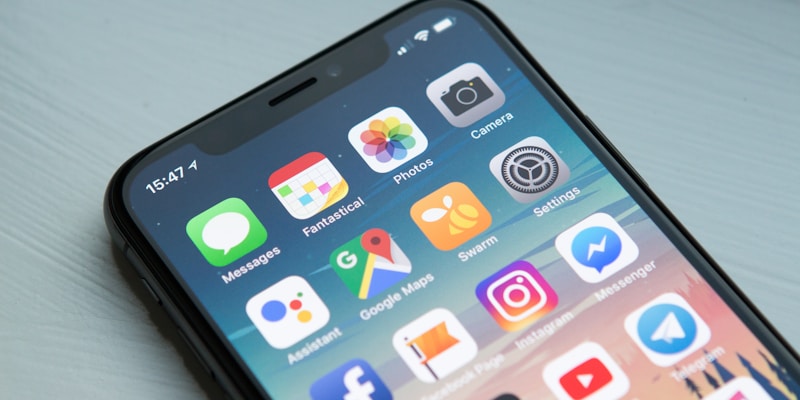
Private apps stay outside the public catalog, which changes who reviews them: you.
What the private tier actually removes
A public Play release comes with a review process, a data safety declaration, a developer identity, and a set of policy obligations. The private personal-app path removes most of that scaffolding, which is the point: friction is why people never shipped the small app they wanted. The trade is straightforward and worth naming out loud. You get speed and privacy, and you give up the external reviewer who used to catch the obvious mistake.
That reviewer was never your security programme, but it was a backstop. The category of bug it caught most often was not malware; it was over-permissioned apps and careless data handling, which is precisely the class of problem a generated app is most likely to introduce because nobody hand-wrote the permission list.
So the first useful reframing is this: the private tier does not remove the work, it relocates it. Whatever the store used to check, you now own, and you own it at the exact moment when you are least motivated to do it, which is when the app already works on your phone.
# A personal app still needs a real build. Keep it reproducible, or you will be
# the only person who can ever rebuild it, including future you.

./gradlew :app:assembleRelease \
  -PversionCode=7 \
  -PversionName=1.4.0 \
  --no-daemon

# Sign with a keystore you have backed up OUTSIDE the device that runs the app.
# Losing the key means you cannot ship an update that keeps app data.
keytool -genkeypair -v \
  -keystore ~/keys/personal-app.jks \
  -alias personal \
  -keyalg RSA -keysize 4096 -validity 10000 \
  -storetype PKCS12

# Verify the artifact before you install it anywhere:
apksigner verify --print-certs app/build/outputs/apk/release/app-release.apk

# Rule: the signed APK plus the keystore plus the version tag are the release.
# If any of the three lives only on one phone, you do not have a release.
Keep the build reproducible, or it is not an app, it is an artifact
Generated apps invite a specific failure mode: the only working build lives on the device, the keystore was created once and never backed up, and the prompts that produced the code are in a chat window that has scrolled away. Six weeks later an OS update breaks something and you cannot rebuild the same app to fix it.
The minimum bar is small. A version-controlled project, a release build produced by a script, a keystore stored off the phone it runs on, and an archived artifact that includes the version code and name. That is not enterprise process, it is the difference between an app you can maintain and a binary you are afraid to touch.
Signing deserves one specific sentence because it is the irreversible part. If you lose the signing key you cannot ship an update that keeps the app's data; you ship a new app and the user starts over. For a personal app with state you care about, back the key up somewhere that is not the device.
# The most common way a personal app leaks is a key pasted into source. Keep
# secrets out of the repo, inject at build time, and fail the build when one slips.

# local.properties (never committed)
#   AI_API_KEY=...
#   MAPS_KEY=...

# app/build.gradle.kts
android {
    buildFeatures { buildConfig = true }
    defaultConfig {
        val props = java.util.Properties().apply {
            val f = rootProject.file("local.properties")
            if (f.exists()) f.inputStream().use { load(it) }
        }
        buildConfigField("String", "AI_API_KEY",
            "\"" + (props.getProperty("AI_API_KEY") ?: "") + "\"")
    }
}

# CI guard: refuse to build if a key-shaped string is committed
! git grep -nE '(sk-[A-Za-z0-9]{20,}|AIza[0-9A-Za-z_-]{35})' -- '*.kt' '*.java' '*.xml' \
  || { echo "secret in source"; exit 1; }

# This is not paranoia. A personal app is still an app other people can pull
# apart with apktool, and a leaked key is a bill with your name on it.
Secrets are the failure that costs money
A vibe-coded app that calls a model or a map service needs a credential, and the path of least resistance is pasting it into the source. That is fine right up until the APK leaves your hands, which the announcement explicitly anticipates by promising sharing with friends and family in the coming months.
An APK is not opaque. Anyone can unzip it and read the strings, decompile the bytecode, and pull your key out in minutes. The mitigation is not obfuscation; it is not shipping the secret. Inject it at build time from an untracked properties file, keep the app's key on a server you control when the app needs a privileged call, and add a CI grep that refuses to build when a key-shaped string appears in source.
That last item costs ten lines and catches the mistake before it is a bill. If you take one thing from this article, take that one, because it is the only mistake here that arrives as an invoice rather than a bug report.
#!/usr/bin/env bash
# Small tools rot silently. Record what you shipped, where it came from, and what
# it can reach — a 20-line manifest beats remembering in three months.

set -euo pipefail
OUT="releases/$(date +%Y-%m-%d)"
mkdir -p "$OUT"

{
  echo "commit: $(git rev-parse --short HEAD)"
  echo "built:  $(date -Iseconds)"
  echo "version: $(grep -m1 versionName app/build.gradle.kts | cut -d'"' -f2)"
  echo "prompt-notes:"
  sed -n '1,20p' prompts/feature-notes.md 2>/dev/null || echo "  (none recorded)"
} > "$OUT/manifest.txt"

# What does this app actually touch on the phone?
aapt dump permissions app/build/outputs/apk/release/app-release.apk \
  > "$OUT/permissions.txt" 2>/dev/null || echo "aapt missing" > "$OUT/permissions.txt"

cp app/build/outputs/apk/release/app-release.apk "$OUT/"
echo "release recorded in $OUT"
# Re-run this every time you regenerate the app. Generated code changes fast.

Generated code still compiles into an APK that anyone can unpack.
Audit what the generated app can reach
Generated code inherits whatever the model thought was reasonable, and models are generous with permissions. A notes app that asks for contacts and location is not malicious; it is just unexamined. On a phone that also holds your mail, your calendar and your banking apps, unexamined is the wrong default.
Three checks cover most of the risk, and all three are shell commands rather than processes. Dump the permission list and delete anything you cannot justify in one sentence. Confirm cleartext traffic is not enabled, because an app with no TLS has nothing protecting it on a shared network. And look at the backup rules, since a personal app that caches a token and has default backup settings exports that token to whatever the backup target is.
Record the permission list alongside each release. It gives you a diff between versions, and a diff is what turns "the app got access to my photos somehow" into a specific commit you can revert.
# Before installing a generated app on the phone that holds your mail, calendar and
# banking apps, check three things. All three are cheap and all three are skipped.

# 1. Permissions the app requests vs permissions the feature needs
aapt dump permissions app-release.apk | sed 's/^/  /'

# 2. Cleartext traffic: an app that talks HTTP has nothing to protect it on Wi-Fi
grep -r "usesCleartextTraffic" app/src/main/AndroidManifest.xml || echo "cleartext: not set"

# 3. Backup rules: does app data (including any cached tokens) leave the device?
grep -A5 "dataExtractionRules\|fullBackupContent" app/src/main/AndroidManifest.xml \
  || echo "backup rules: default"

# Default is not a decision. For a personal app holding a credential, the answer
# should be: no cleartext, explicit backup rules, and permission list you can
# explain item by item. If you cannot explain a permission, remove it and rebuild.
The graduation path is a different product
Google's post is clear that going public means moving to a professional developer account, at which point the app goes through the same Trust & Safety reviews and quality standards as every other developer on the platform. That is a reasonable boundary, and it is also a good moment to admit that the app you built for yourself is not the app strangers will use.
Concretely, four things change at once: identity, policy, data handling, and support. Your package name becomes effectively permanent, because changing it later loses installs and data. Your data safety answers have to match what the app actually does, which means you need to know. Your permissions need justifications you can say out loud. And somebody has to be reachable when it breaks, which is a commitment rather than a checkbox.
The checklist below is the version I would run before starting down that path, not after the review request. It is also a decent argument for keeping the personal tier personal: the moment you write down what public distribution requires, the scope of the private app usually shrinks back to what you actually needed.
#!/usr/bin/env bash
# The graduation path. Google's post says that if you want to share an app with the
# world you move to a professional developer account, and the app then goes through
# the same Trust & Safety reviews and quality standards as any other developer.
# Prepare for that transition before you need it.

set -euo pipefail
cat <<'EOF'
[ ] package name is final (changing it later loses installs and data)
[ ] signing key backed up off-device, with a second copy in a password manager
[ ] versionCode increases monotonically; versionName is human-readable
[ ] privacy policy drafted: what data the app stores, where, and for how long
[ ] every permission has a one-line justification you could say out loud
[ ] targetSdk current; no deprecated APIs flagged by lint
[ ] data safety form answers match what the app actually does
[ ] crash reporting + a way to reach users, before strangers install it
[ ] account for review time in the launch plan, not after
EOF

# A private app that becomes public is a different product, not a bigger version of
# the same one. The checklist is where that difference gets acknowledged.

A reproducible build and a backed-up signing key are the whole difference between a toy and a tool.
📌 Frequently Asked Questions
Do I need a developer account for this?
No. Google says you can build a custom Android app with Google AI Studio and launch it on your own device through Google Play using your standard Google account, without a developer account. A professional developer account is required only if you later want to distribute the app publicly.
Who can use it right now?
The rollout starts with select markets including the United States, for users 18 and over, according to Google's announcement. Availability in other markets is not described as immediate, so check the Play Store listing in your region.
Do personal apps appear in the public store?
Google states that personal apps stay private, secure and separate from the public store catalog. The company also says sharing with a close circle of friends and family is coming in the coming months, so the privacy boundary is expected to widen slightly rather than disappear.
What happens if I want to publish publicly later?
Google's post says Play helps you graduate to a professional developer account, at which point the app goes through the same Trust & Safety reviews and quality standards as any other developer's app. Treat that as a new release process rather than a switch, and expect identity, policy and data-handling requirements to apply.
Is it safe to put API keys in a vibe-coded app?
No. An APK can be unpacked and its strings read, so a key compiled into the app should be considered public the moment the app leaves your device. Inject secrets at build time from an untracked file, keep privileged calls behind a server you control, and add a CI check that fails the build when a key-shaped string appears in source.
🔧 Recommended Tools
Hash Generator
Fingerprint every APK you sign so you can prove which build is installed.
Base64 Encoder
Move keystore-adjacent secrets between tools without plaintext paste.
JSON Formatter
Inspect the build metadata and permission dumps you archive per release.
Text Diff Checker
Compare permission lists between two builds before you install.