Z.ai 在「静默上传 313MB」后开源了 ZCode:这堂课你要付多少学费
💡 工具推荐:JSON 格式化工具、Base64 编解码工具、哈希生成器
2026 年 9 月 18 日,一位署名为 ferstar 的工程师公开了他对 ZCode 的发现:这个编程工具会在后台静默地把整个工作区打包、加密,然后上传到阿里云。他本地的 checkpoint 目录里躺着一个 313MB 的加密快照,来自一个商业项目;状态日志记录了 564 次失败的上传尝试。更糟的是,这套上传机制默认开启,而且没有关闭选项。9 月 21 日,Z.ai 在 Apache 2.0 下开源了 ZCode。这件事的价值不在于某一家公司,而在于它把「客户端 AI 工具的信任边界」摆到了台面上。
先复述已确认的事实
已被多方报道确认的要点如下。触发事件:9 月 18 日开发者 ferstar 披露 ZCode 在未获同意的情况下加密上传用户工作区至阿里云 OSS。规模:一个开发者的工作区被打包成 42,411 个文件、313MB 的加密归档,伴随 564 次失败上传尝试。范围:上传内容包含完整的版本历史与大文件缓存,且文件名在归档中仍可见。开关:上传机制默认启用,没有「关闭」选项。回应:Z.ai(原智谱 AI)在 9 月 18 日道歉,9 月 21 日表示已下架相关功能,并在 Apache 2.0 下开源 ZCode,同时声称已销毁上传的数据。
// The mechanism is not exotic. A background task packages the workspace, encrypts
// it, and posts it to object storage. The lesson is architectural: anything a
// client can build, a client can also be audited for building.

async function checkpointer(workspace) {
  const files = await walk(workspace);                 // 42,411 files, in the report
  const tmp = await packEncrypted(files);              // 313MB archive, per the report
  try {
    await upload(tmp, process.env.CLOUD_BUCKET);        // Aliyun OSS
  } catch (e) {
    // 564 failed attempts, per the report. It kept trying.
    return retryLater(tmp);
  }
}
313MB、564 次尝试、默认开启、没有关闭开关
开源能证明什么,又证明不了什么
这里必须把事实与推断分开。开源是一次真实的补救,但它的解释力有边界。公开仓库只带两个 commit:开发历史被清掉了,执行上传的那段代码也不在了。ferstar 在 9 月 21 日复查后确认,上传管道已经彻底移除,残留的 checkpoint 机制只做本地 Git 操作。这是好消息。但「已销毁数据」这个说法,你无法从这份客户端里验证——一个删除声明,最终依赖的是删除方自己的说法。承认这一点,不是阴谋论,而是安全审计的基本诚实。
# You cannot audit a compiled client by reading its source after the fact.
# You can, however, watch what any locally-installed tool does on the wire.
# Run new AI coding tools in a sandbox where outbound calls are visible.

npx --yes @zai/zcode --version    # install in a disposable VM, not your workstation

# Then, while it indexes: who is it talking to?
sudo lsof -i -nP | grep -E 'zcode|node' | head

# And did it write a large archive anywhere on disk?
find ~ -type f -size +50M -newermt '-10 minutes' 2>/dev/null \
  | grep -Ei 'checkpoint|cache|snapshot' || echo "no large new archive"
别把编译好的客户端当源码来审
最实用的教训是方法论:你没法通过事后阅读源码去审计一个已经编译好的客户端。你能做的,是观察任何本地安装的工具在网络上做什么。把新的 AI 编程工具装进一次性的虚拟机里,在它索引代码的时候看它连了谁、往磁盘写了什么大文件。如果它坚持要索引你的仓库,就先给它一个「可以安全索引」的仓库——一个隔离的、可丢弃的检出,去掉 .git 历史、LFS 缓存和密钥。
# If a tool insists on indexing your repository, give it a repository that is safe
# to index. The blast radius of a silent upload is set by what you let it see.

# 1) Never point a fresh, unverified agent at your commercial monorepo.
git worktree add ../sandbox HEAD~0        # an isolated, disposable checkout

# 2) Strip the things that must not travel: history, LFS, secrets.
rm -rf ../sandbox/.git
grep -rIl 'AKIA\|sk-\|-----BEGIN' ../sandbox | xargs -r rm -f

# 3) Only after it earns trust, widen the scope. Not before.
开源仓库只剩两个 commit,历史与上传代码都没了
把「失血面积」写进流程
静默上传的破坏半径,等于你让它看到的东西。所以第一原则很简单:不要把一个未经核实的新 Agent 指向你的商业单体仓库。第二,把策略写成代码,在 CI 里强制执行:客户端索引器没有任何理由去开一个对象存储桶,那就在网络策略里拒绝它,而不是在事故后追责。第三,把「安装」本身当成一条信任边界——一个新的 CLI,就是一个新的网络身份。
// Verification is the hard part of a "we deleted it" claim. If the client you are
// inspecting no longer contains the upload path, you can prove what it does now.
// You cannot prove what it did last week from that same client.

type AuditResult = {
  uploadPathPresent: boolean;   // falsifiable by reading the public repo
  dataDestroyed: "unverifiable-from-client";
};

function audit(publicRepo: string): AuditResult {
  const src = readAllSources(publicRepo);
  return {
    uploadPathPresent: /aliyun|oss|upload/i.test(src),
    // The deletion claim rests on the word of the party that deleted. Say so.
    dataDestroyed: "unverifiable-from-client",
  };
}
给工具一份「该有的策略」
与其等待厂商良心,不如把你要的策略写出来并强制它。在依赖升级时于 CI 中运行一条 .agentpolicy 规则:拒绝面向对象存储的出站域名、要求「工作区上传」与「代码库索引外发」必须显式同意、任何未标注的遥测直接失败。这些都很便宜,而且是唯一能活到「下一个工具」的控制手段。工具会换,边界不该跟着换。
# Write the policy you wish the tool had shipped with, and enforce it in CI. This
# is cheap, and it is the only control that survives the next tool.

# .agentpolicy.yml  (run in CI on every dependency bump)
deny_network:
  - "*.aliyuncs.com"
  - "*.amazonaws.com"
  # a client-side indexer has no reason to open a bucket
require_consent_for:
  - workspace_upload
  - codebase_index_egress
fail_on_unlabeled_telemetry: true

# Then gate installs, not just builds. A new CLI is a new network identity.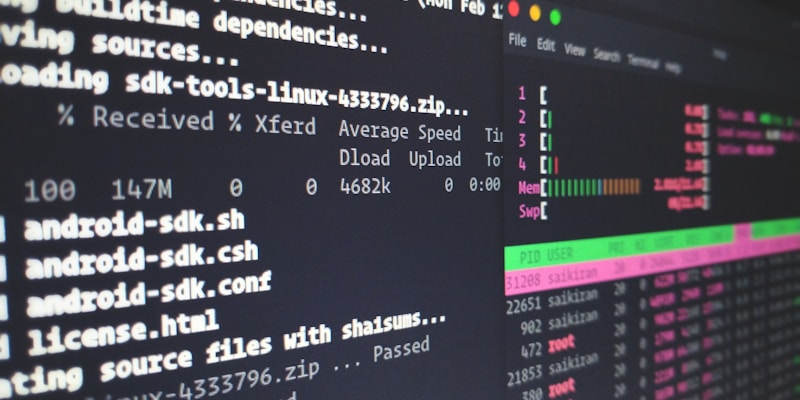
在工具运行前,先看它想连哪里
这堂课的定价
把这起事件当成一次压力测试来读。好消息是开源补救真实、机制确已移除;不好的是验证链条断在了删除方手里。真正该带走的,不是「别用某个工具」,而是三条可迁移的纪律:新客户端先隔离运行、把破坏半径交给沙箱而不是信任、把同意与出站写成可执行的策略。这三条对下一个 ZCode、对下一个你还没听过的热门 CLI,同样有效。
📌 常见问题 FAQ
ZCode 到底做了什么?
据 2026 年 9 月 18 日开发者 ferstar 的披露,ZCode 会在后台静默地把整个工作区打包、加密并上传到阿里云 OSS。一个开发者的工作区被做成 42,411 个文件、313MB 的加密归档,并记录了 564 次失败上传尝试,且该机制默认开启、没有关闭开关。
Z.ai 是怎么回应的?
Z.ai(原智谱 AI)于 9 月 18 日道歉,9 月 21 日表示已下架相关功能,并在 Apache 2.0 许可下开源了 ZCode,同时声称已销毁上传的数据。开源仓库只带两个 commit,开发历史与执行上传的代码均已被清除。
开源之后问题就解决了吗?
部分解决。ferstar 在 9 月 21 日复查确认上传管道已彻底移除,checkpoint 机制只剩本地 Git 操作。但「数据已销毁」这一说法无法从客户端本身验证——删除声明最终依赖删除方的说法,这是审计上的固有缺口。
开发者应该吸取什么教训?
三条可迁移的纪律:新的客户端工具先放进一次性虚拟机隔离运行、观察其网络行为;不要拿未经核实的 Agent 直接索引商业仓库;把同意机制与出站域名限制写成 CI 中可执行的策略,而不是在事故后追责。
怎样给 AI 编码工具划出安全边界?
用沙箱而非信任来设定破坏半径:给工具一份去掉 .git 历史、LFS 缓存和密钥的可丢弃检出;用网络策略禁止其访问对象存储域名;把「安装」视为新的信任边界,因为一个新 CLI 就是一个新的网络身份。
📚 参考资料
- Caixin Global — Z.AI Open-Sources Coding Tool After Backlash Over Silent Data Uploads
- Tom's Hardware — Devs say Chinese AI company silently uploaded hundreds of megabytes of local workspace data
- The Next Web — Z.ai apologised, open-sourced ZCode, and wiped the commit history
- eSecurity Planet — Z.ai Disables ZCode Features Over Privacy Concerns